

 10/24/2026
  Steve Bearden
The fold can matter as much as the menu’s dimensions. Menu printing for restaurants can use a flat, bi-fold or tri-fold format, with the finished size chosen to suit the content and how guests will handle it. A tri-fold, for example, organizes substantial information across panels while keeping the menu compact.
It’s easy to focus on fitting every dish onto the page, but readability, durability and everyday use matter just as much. This guide explains how to choose a menu size and format, compare paper and plastic options, and select a binding or finish for your service style. You’ll also learn how to prepare and upload your design, including why high-resolution background images help keep printed menus clear. Whether you’re planning a table menu or a takeout piece, these choices help you define a practical print specification.
Key Takeaways
- Choose a finished menu size based on how guests will use it and how much information it needs to hold.
- Compare paper, cardstock and plastic by considering the menu’s handling, exposure to spills and desired look.
- Prepare your artwork with high-resolution background images so printed details stay clear.
- Match the format and binding to the menu’s content; folds organize sections, while spiral binding helps pages turn easily.
- For a professionally produced menu project, Linemark’s Custom Book Printing can support your next step from design file to printed piece.
What are the available paper sizes for menus?
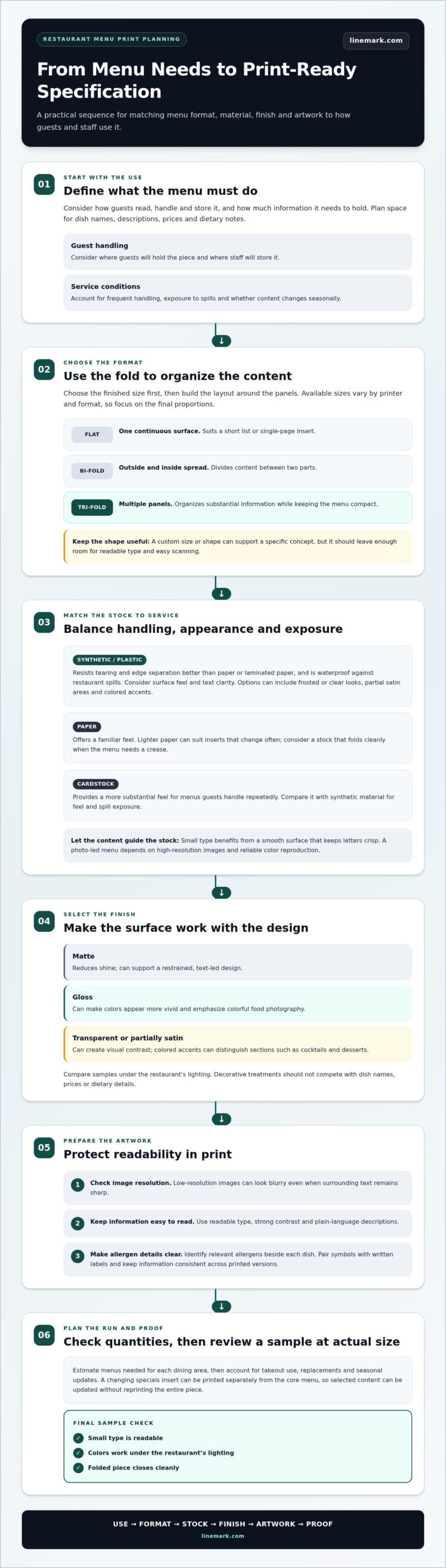
Menu dimensions should suit how guests read, handle and store each piece. A flat menu works for a compact list, while a bi-fold or tri-fold creates panels for separating sections. Choose the finished size first, then plan the layout around dish names, descriptions, prices and dietary notes.
Available paper sizes vary by printer and format, so focus on the final menu’s proportions rather than assuming one size suits every use. A narrow, tall layout can give a wine list a distinct reading flow; a wider format can provide room for a family-style dinner menu. Ask your designer to show how the folded piece opens and where each panel will land.
- Flat: Use one continuous surface for a short list or a single-page insert.
- Bi-fold: Divide content between an outside and inside spread.
- Tri-fold: Arrange categories across panels when a compact piece needs substantial information.
A custom menu can use a nonstandard size or shape for a specific concept, such as a wedding reception menu or tasting-room insert. Consider how guests will hold it, where staff will store it, and whether the shape leaves enough space for readable type. A distinctive edge or silhouette should support the content, not make menu items harder to scan.
Print quantity affects planning as well as production. Estimate how many menus each dining area needs, then account for takeout use, replacements and seasonal updates. A restaurant with a changing specials insert can print the core menu separately from the update, while a fixed menu can be planned as one coordinated run. This helps avoid reprinting an entire piece when only selected content changes.
How long does restaurant menu printing and delivery take? Timing depends on artwork approval, paper selection, print method, finishing, quantity and delivery destination. Build those steps into your schedule, especially when menus need to arrive before a launch or seasonal change.
Where can restaurants find local menu printing services in the United States? Look for commercial printing services that can deliver to your restaurant’s location. A local delivery route may suit a nearby restaurant, while a multi-location business may need coordinated delivery to several sites.
What accessibility and food-allergen information should printed restaurant menus include? Use readable type, strong contrast and plain-language descriptions, then identify relevant allergens clearly beside each dish. Pair symbols with written labels so guests don’t have to interpret icons alone, and keep the same information consistent across printed menu versions.
Connect material choice to service conditions. Durable paper stock can suit frequent handling, while a waterproof surface may be useful where spills are common. Size, shape and finish work together to determine how easily guests can read the menu and how well it fits the restaurant’s routine.
Paper and cardstock choices
Choose a stock by balancing handling, appearance and the menu’s service environment. A folded drinks list used throughout dinner has different needs from a short-lived insert for a seasonal special.
Synthetic Menu Materials
Plastic menu material resists tearing and edge separation better than paper or laminated paper, and it’s waterproof against restaurant spills. That makes it practical for menus handled often or placed on tables beside drinks. Consider how the surface feels in guests’ hands and whether the finish keeps text clear and readable. Transparent options can provide frosted or clear looks, partial satin areas and colored accents.
Paper Types and Finishes
Paper and cardstock give menus a familiar feel, while the stock and finish shape how colors and text appear. Lighter paper can suit an insert that changes often; cardstock provides a more substantial feel for a menu guests handle repeatedly. Matte finishes reduce shine, while gloss can make colors appear more vivid. Compare samples under the restaurant’s lighting before choosing a finish.
Let the menu’s content guide stock selection. A wine list with small type needs a smooth surface that keeps letters crisp; a photo-led food menu depends on high-resolution images and reliable color reproduction. Check the resolution of placed images before printing. A low-resolution image can look blurry even when the surrounding text remains sharp.
Consider how the paper behaves after finishing. A folded menu needs stock that creases cleanly, while a flat insert may need a smooth surface for writing or replacing specials. For example, a regularly updated brunch menu can use separate inserts, while a core dinner menu may benefit from sturdier cardstock. Match the choice to how staff will handle, store and refresh each piece.
Finishes also affect how branding comes across. A restrained matte surface can support a minimal, text-led design; gloss can emphasize colorful food photography. Transparent or partially satin materials create visual contrast, while colored accents can distinguish sections such as cocktails and desserts. Keep the design functional: decorative treatments shouldn’t compete with dish names, prices or dietary details.
- For frequent handling: Compare cardstock and synthetic material for feel and spill exposure.
- For changing content: Choose a paper format that makes inserts straightforward to replace.
- For photography: Check image resolution and proof the colors against the selected finish.
Before approving a print file, review a sample at actual size. Check that small type is readable, colors work under the restaurant’s lighting, and a folded piece closes cleanly. Matching stock, finish and artwork gives each menu a consistent presentation without sacrificing everyday usability.
How do I upload my own menu printing design?
Prepare the artwork, check it at its final size, then upload the file through the printer’s submission process. High-resolution background images help prevent blurry printing, especially in photo-led designs.
Start with the finished format: a flat sheet, folded menu or multi-panel takeout piece. Templates can establish page dimensions, margins and fold positions before you add menu copy. If you’re using an online design tool, choose a template that matches the intended format, then replace its sample text and imagery with your restaurant’s content.
- Organize content: Finalize dish names, descriptions, prices and category order before designing.
- Build the layout: Keep text and important details away from edges and fold lines.
- Review images: Use high-resolution background images and check that food photography looks clear at print size.
- Proof the file: Read every line and confirm the menu opens in the intended order.
- Upload the artwork: Submit the final file and review any displayed proof before approving it.
A print-ready template provides a structured starting point, but it still needs careful review. Confirm that content is positioned correctly on each panel, especially for a tri-fold where the cover, inside panels and back panel serve different purposes. Check text near folds and trim edges, along with image placement, so essential information isn’t lost during finishing.
Free templates can help with a first draft or a simple specials insert. Treat them as layout tools, not a substitute for proofreading: replace placeholder details, check spelling, and make sure fonts and colors suit your restaurant’s branding. For custom menus with detailed photography or several categories, use a clear hierarchy so guests can find dishes quickly.
Before uploading, compare the file with the intended printed format. Review a folded menu as both a flat layout and a finished piece; a flat page should have a clear reading path from heading to item. Keep the latest approved artwork in a clearly named file so staff don’t accidentally submit an outdated version.
What are the pros and cons of in-house, online, and local menu printing? In-house printing makes small edits convenient, but equipment and finishing can limit material and format choices. Online services offer a remote ordering process, while local printers can make in-person proof review easier. The best fit depends on your artwork, quantity and production needs.
Apply the same review process to related materials such as flyers: confirm the final copy, image clarity and layout before submitting. Careful file preparation reduces avoidable corrections and helps the printed menu match the design you approved.
Menu formats and binding options
Restaurants can choose flat or folded menus, bound booklets, and finishes such as lamination or UV coating. The right format depends on how guests read the menu, how much content it holds, and how often staff handle it.
Binding Choices
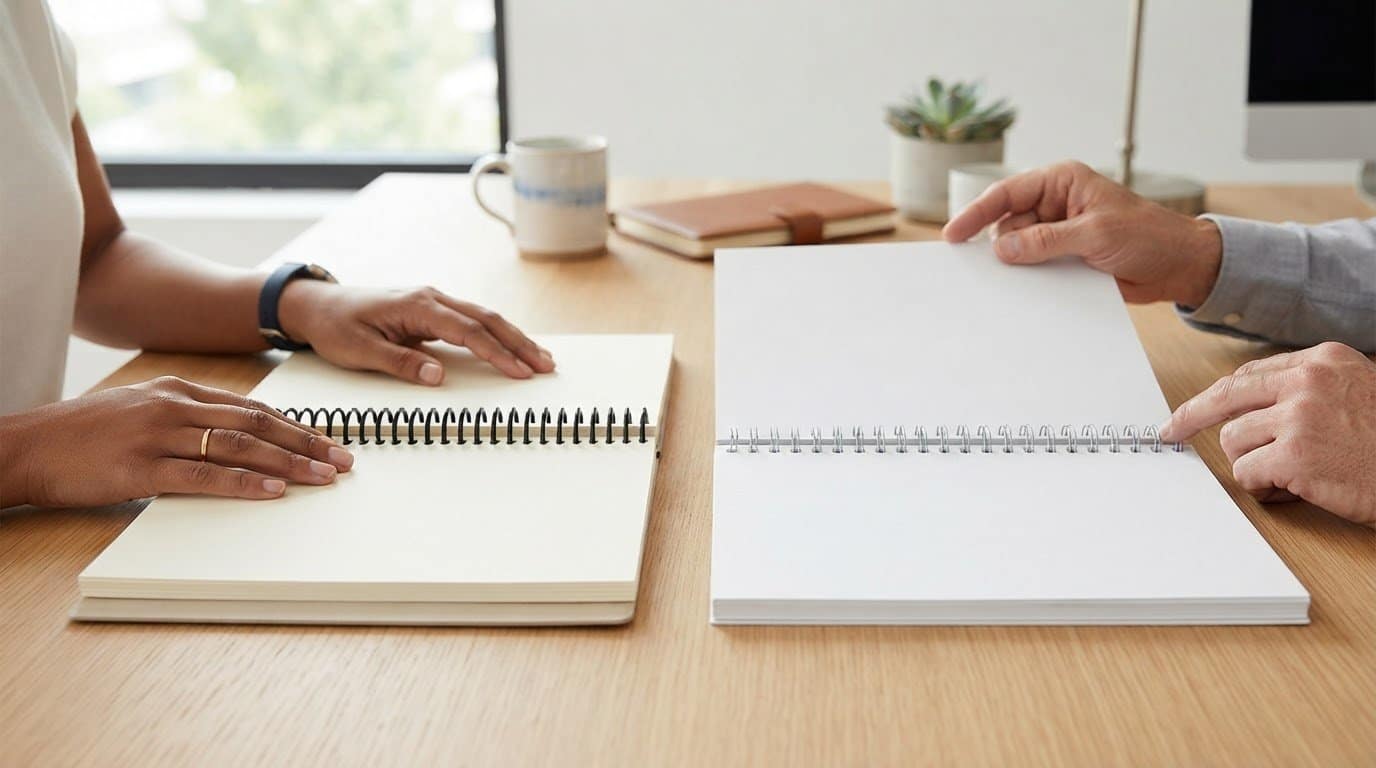
Spiral binding lets pages turn easily and accommodates a wide range of page counts. It suits menus organized into distinct sections, such as food, drinks and desserts, especially when guests need to keep the booklet open. For a slim menu, an unbound flat or folded format avoids a spine and is simple to distribute.
Choose binding after planning the page sequence. Check that key categories open together and that the finished booklet sits comfortably on a table. A compact lunch list may work as a folded piece, while a longer menu can use pages guests turn without losing their place.
Lamination Options
Lamination covers printed paper with a protective layer, while coating applies a finish to the printed surface. Gloss can make colors look vivid, but glare may affect readability under bright dining-room lights. UV coating is recommended to help prevent scratching and extend menu life. Match the finish to the design and how staff clean and store menus.
Consider the entire surface, not just the cover. A laminated menu can protect printed paper from everyday handling, while a coated menu keeps the paper feel more apparent. Test readability across photographs, small descriptions and prices before approving the finished look.
What menu printing options are available for restaurants? Options include flat and folded pieces, spiral-bound booklets, paper menus with lamination, and coated finishes. Takeout menus can use half-fold, trifold, z-fold, roll-fold or accordion-fold formats, chosen to organize content and suit how customers carry them.
Fold style affects both reading order and how much information is visible at once. A half-fold creates two main panels; a trifold divides content across three. Z-fold and accordion-fold layouts open into connected panels, while a roll-fold tucks panels inward. For takeout, map the cover, ordering details and contact information before placing artwork.
Restaurant menu design should make sections easy to scan. Use consistent headings, spacing and colors to distinguish categories without crowding the page. For example, clear type hierarchy can separate appetizers, main dishes and desserts without relying on decorative elements alone.
- Choose a format: Decide whether the menu stays flat, folds, or uses bound pages.
- Plan the sequence: Place categories in the order guests are likely to read them.
- Select the finish: Compare laminated paper and coating based on appearance and handling.
- Review a proof: Check folds, binding, colors and readability in the finished layout.
Before production, check how the selected format behaves when opened and closed. A fold should keep text away from creases, and a bound menu should turn smoothly through its sections. For menu printing for restaurants, these production choices connect presentation with practical service, helping each piece work at the table or for takeout.
Flat, bi-fold and tri-fold menu formats
Flat, bi-fold and tri-fold layouts solve different reading and space needs. Compare how each format presents ordered sections, handles images, and fits the dining table before choosing.
Flat Menu Layouts
A flat menu keeps every section on one continuous surface, so guests can scan the full selection without opening or turning panels. It works well for a concise lunch list, drinks sheet or specials page placed beside a larger menu. Plan the reading path with clear headings, since there’s no fold to separate categories. A vibrant cover or image can draw attention, but shouldn’t crowd item details.
Bi-Fold Menu Layouts
A bi-fold uses one crease to create four panels: front, back and two inside pages. This gives a restaurant clear places for a cover, core dishes, drinks and practical details such as hours. Keep the reading sequence obvious as guests open the piece. Place related sections together, and don’t put an item name or price directly across the central fold.
Tri-Fold Menu Layouts
A tri-fold divides a sheet into three connected panels, creating six surfaces across the outside and inside. It can fit substantial information into a smaller menu by using panels to separate categories. For example, a takeout menu can assign panels to starters, main dishes, sides, drinks, ordering details and contact information. Check panel order carefully, since the outer flap may fold inward.
Choose based on the amount and relationship of the content, not appearance alone. A short selection may be easier to scan on a flat piece. A bi-fold can give a moderate menu a natural opening spread, while a tri-fold organizes more information in a compact piece. If guests compare dishes across categories, keep those sections adjacent.
Before finalizing the artwork, sketch the panel sequence on paper. Mark the cover, first-open view, inside reading order and final panel. Then place each category where guests will expect to find it. Check that descriptions and prices stay together when a folded menu is closed and opened. This simple planning step prevents a polished layout from presenting information in the wrong order.
- Flat: Use for a concise list or a single-purpose insert.
- Bi-fold: Choose for a simple opening spread and distinct inside sections.
- Tri-fold: Use panels to group more content in a compact format.
Mock up each option at its intended finished size, then review it on a dining table. Check whether guests can find a category quickly, whether type remains readable and whether the folded piece opens naturally. The strongest choice is the one that makes the menu easy to use, not simply the one with the most panels.
Linemark: Custom Book Printing
Linemark helps restaurants turn a chosen menu format into a professionally printed piece through its commercial printing services. For menus with several panels, frequent updates or coordinated versions for multiple locations, clear specifications help align artwork, format and production. Prepare the approved design, finished dimensions, paper choice and quantity to give the project a defined production brief.
For a booklet-style menu, Linemark’s Custom Book Printing is another relevant option. It suits projects organized across bound pages, while commercial printing supports restaurant materials such as menus. The right approach depends on the piece’s structure and intended use.
Contact Linemark to discuss your restaurant’s menu printing project.
Put Your Menu Into Production
A printed menu is part of how guests experience your restaurant, and it can evolve with your service. Treat menu printing for restaurants as an ongoing communications decision: keep approved artwork organized, plan updates around menu changes, and align printed pieces with how guests discover and engage with your business.
Linemark can support a broader print program with Custom Book Printing for booklet-style menus, Direct Mail for restaurant communications sent to guests, and Large Format Graphics for visual messaging in your space. Bringing these needs together can help maintain a consistent presentation across formats, while each piece serves its own purpose.
When you’re ready to move from a menu concept to a production plan, share the format and intended use with Linemark. Contact Linemark about menu printing and take the next step toward a menu that fits your restaurant’s service.
Frequently Asked Questions
What menu sizes do you offer?
Specify the desired finished width and height, then identify whether the menu will be flat or folded. No single size suits every menu: a compact drinks list and a detailed dining menu have different space needs. For print production, provide the final dimensions, not just the sheet’s flat size. Linemark’s commercial printing supports printed materials, and clear dimensions help define the project.
Can I get my menus printed on water-resistant paper?
For spill resistance, plastic menu material is waterproof against restaurant spills; it isn’t paper. It also resists tearing and edge separation better than paper or laminated paper. Consider how the menu feels in guests’ hands and whether its surface suits the design. A menu used beside drinks, for example, may have different material priorities from a short-lived special insert.
Can I print a black and white menu?
Yes, a menu can be designed and printed in black and white. Use strong contrast between text and background, and check that headings, prices and dish descriptions remain distinct without color. Bold type or rules, for example, can separate sections on a monochrome page. Review photographs in grayscale before printing, since subtle shadows and similar tones may lose definition.
Do I need to fold bi-fold and tri-fold menus by myself?
Not necessarily. Folding is a finishing step after printing, so specify whether you need finished folded menus or flat sheets. For a bi-fold, check that the cover lands on the correct panel; for a tri-fold, confirm the inward-folding panel sequence. Linemark offers Binding & Finishing, a relevant service for printed pieces that need assembly or finishing.
How do I print a double-sided menu?
Set up the front and back as separate pages in the correct reading orientation, then specify double-sided printing in the project instructions. Print a test copy on plain paper and turn it over as a guest would. This catches upside-down backs, mismatched margins and misplaced content before production. Keep important text away from trim edges on both sides.
What file types do you accept for menu printing?
Prepare a print-ready PDF to preserve fonts, layout and image placement. Linemark provides upload portals and PDF settings guides to support file submission. Before exporting, confirm the PDF shows the intended page order and complete design. A PDF proof can also make it easier to review content consistently across screens and printed samples.
What paper, cardstock, and finishes work best for restaurant menus?
Choose paper or cardstock based on handling, appearance and how often the menu changes. Synthetic plastic material offers waterproof protection against restaurant spills, while paper stocks provide a paper-based option. Glossy finishes can make colors stand out; UV coating is recommended to help prevent scratching and extend menu life. Check small text and photographs under the restaurant’s lighting.
What are the best sizes and formats for restaurant menus?
The best choice depends on the menu’s content and how guests use it. A flat format suits a brief list; a bi-fold separates content across an opening spread; a tri-fold organizes more information into panels. For takeout pieces, half-fold, trifold, z-fold, roll-fold and accordion-fold options create different panel sequences. Review a paper mockup to test the reading order before finalizing artwork.